

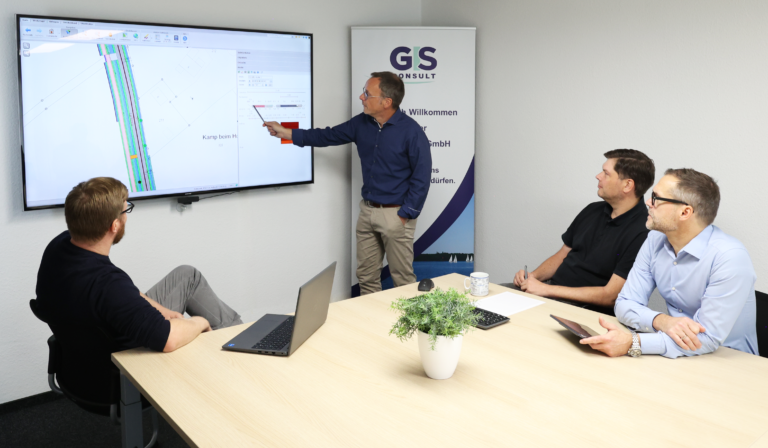
Are you currently in the process of implementation of software products from us or are you interested in training new employees? In that case our experienced training team is going to convey to you the needed knowledge to use the product optimally.
GIS Consult offers different training and workshops. Their topics are geoinformation systems as well as the support of our customers during the implementation of new GIS applications and for the further training of new employees.
Our seminars are given in training rooms of high technical quality and in a pleasant work atmosphere. Normally 4 to 8 people take part in a seminar. This guarantees the individual support of each participant. In exceptional cases, especially following customer requests, training for a maximum of 12 people is possible. Drinks and lunch are part of our training opportunities, too.
We can define individual workshops with customized shaped content and an individual training model for you, too. Please contact us for an offer.
Furthermore, we enable training at our customers’ premises, too. Please contact us to match the basic conditions and prices.
Moreover, we offer online trainings via Microsoft Teams on all topics. If you´re interested in this possibility, feel free to contact us.
Feel free to contact us:
| Topic | Period | Content |
|---|---|---|
|
Fundamentals |
1 Day |
• Introduction in QGIS (if necessary download / installation) |
|
Advanced training |
1 Day |
In addition to the content of Day 1: |
|
Advanced training for utility companies |
Duration depending on the desired scope |
Supplementing days 1 and 2 with specific examples and processes, e.g. based on current challenges. Also possible by prior arrangement, possibly with preparation |
| Topic | Period |
|---|---|
|
Smallworld-Grundlagen (Smallworld basics) |
3 Days |
|
Smallworld-Administration und -Konfiguration (Smallworld-administration and configuration) |
3 Days |
|
Smallworld-XML-Konfiguration (Smallworld-XML-configuration) |
1 Day |
| Topic | Period |
|---|---|
|
Data model NRM ALKIS |
1 Day |
|
Data model Bauleitplanung (urban land use planning) |
3 Days |
|
Data model NRM LIS |
2 Days |
|
Data model NRM Electricity |
2 Days |
|
Data model NRM Gas |
2 Days |
|
Data model NRM Water |
1 Day |
|
Data model NRM Wastewater |
2 Days |
|
Data model NRM District Heating |
1 Day |
|
Data model Kleinräumige Gliederung Umweltatlas & Baum/Grün (small-scale classification of environmental atlas and tree/green) |
1 Day |
| Topic | Period |
|---|---|
|
GC Kartographie |
1 Day |
|
GC SpOT |
1 Day |
|
GC Objekte Professional |
1 Day |
|
GC Baumkataster |
1 Day |
|
GC SIB |
1 Day |
|
GC Grünflächen |
1 Day |
|
GC Spielplatz |
1 Day |
|
NWSIB Online für Kreise |
1 Day |
|
Straßenzustandserfassung und -bewertung |
2 Days |
Prices for our training courses are available upon request.